Published: 2 Jul 2025 | Updated: 26 Mar 2026

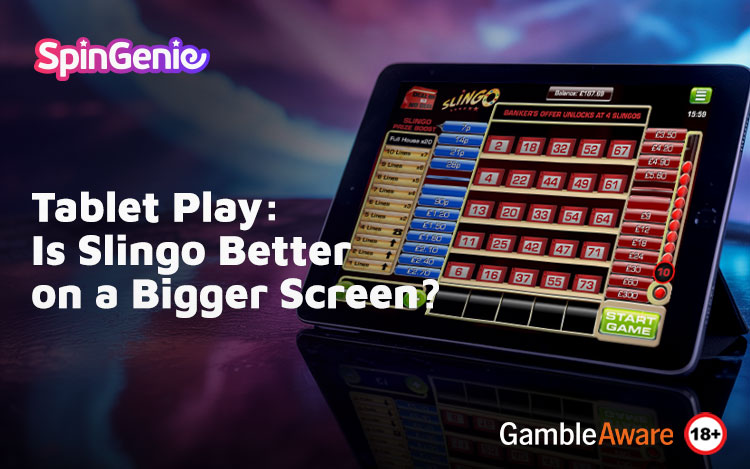

Whether you’re a fan of casual bingo-inspired games or slot-style entertainment, Slingo continues to be one of the most popular options among mobile players. As more users look beyond smartphones for a more spacious experience, tablets and iPads are emerging as the go-to choice for longer gaming sessions. But does playing Slingo on a bigger screen truly make a difference?
If you enjoy online Slingo games, you might already be wondering whether switching from your mobile phone to a tablet could elevate your experience. In this article, we’ll explore whether the size of your device matters, how Slingo works on tablets, and what to consider when deciding between screen types.
What is Slingo Tablet Play All About?
Bigger Screens, Better Layouts
One of the most noticeable perks of Slingo tablet gameplay is screen real estate. Larger displays allow for easier navigation, clearer game graphics, and more comfortable touch controls. The bingo grid and slot reel elements in Slingo titles are more prominent, meaning less zooming and squinting.
This becomes particularly helpful when engaging with Slingo games that feature extra overlays, multipliers or bonus elements. With more space on the screen, everything feels easier to follow without clutter.
iPad Compatibility
For those using Apple devices, Slingo iPad play is smooth and responsive. The iPad’s high-resolution display enhances visuals, and most iOS-compatible Slingo games run natively without needing desktop mode or extra configuration. Whether you’re using a standard iPad or a Pro model, gameplay is seamless and immersive.
Is Slingo Better on Tablet Than on Mobile?
Display Size and Clarity
Mobile phones are perfect for quick sessions on the move, but when it comes to extended play or enjoying the visuals in full, tablets have the edge. You can more easily keep track of numbers, symbols and progress bars, making the overall experience more accessible.
Touch controls also benefit from the added space, with fewer chances of accidental taps or swipes. For some, this makes gameplay feel more relaxed and intuitive.
Longer Play Sessions
Many users report that they enjoy playing longer when using tablets because of the larger screen and ergonomic layout. While short mobile sessions are convenient, the comfort of a tablet can help reduce hand strain and improve posture when used with a stand or held in landscape mode.
Of course, breaks remain essential, so even if you’re comfortable on a bigger screen, remember to step away regularly to maintain balance.
How to Play Slingo on Tablet Devices
Accessing Games via Browser or App
Most modern tablets support browser-based play directly via the Spin Genie website. Simply visit the site on your tablet, log in to your account, and browse your favourite Slingo titles. No downloads are needed, and the interface adjusts automatically to suit your screen.
Alternatively, if your device supports it, you can also download the Spin Genie app. This is a great option for those who prefer a streamlined experience with quicker loading and direct access.
To learn how to get started, see our full guide on how to play Slingo on mobile, which covers both smartphone and tablet access.
iOS and Android Compatibility
Whether you’re using an Android tablet or an iPad, most Slingo games are compatible with both platforms. You’ll want to make sure your operating system is up to date and that you’re using a stable internet connection for the best experience.
Which Slingo Games Play Well on Tablets?
Some Slingo titles are particularly suited for larger screens due to their graphic-heavy design or interactive features. Here are a few that benefit from added space:
- Slingo Rainbow Riches – Multiple features and bonus rounds are easier to manage on a bigger screen.
- Slingo Starburst – The iconic cosmic visuals look brighter and sharper on tablets.
- Slingo Deal or No Deal – Enjoy clearer game show visuals and layout structure.
- Slingo Advance – The futuristic design and travel mechanics are easier to follow on an iPad or tablet.
- Slingo Xxxtreme – Ideal for those who want to keep track of multipliers and wilds without overlapping elements.
For further gameplay pointers, take a look at our mobile Slingo tips to help you optimise your setup.
Considerations Before Choosing Your Device
Portability vs Comfort
Phones are still the most portable option, perfect for quick entertainment on the go. Tablets, on the other hand, offer a more immersive setup. If you tend to play while seated or during quiet downtime, a tablet may be the better choice.
Battery Life and Data Usage
Tablets generally offer longer battery life and handle multitasking more efficiently than smartphones. However, be sure to monitor your data usage when playing via mobile connection, especially with high-graphic Slingo games.
Audio and Display Settings
Some players enjoy using headphones or external speakers for Slingo games. Tablets often offer enhanced audio playback and better screen brightness, both of which can improve your enjoyment during longer sessions.
FAQs About Playing Slingo on Tablets
Can I use the same account on my tablet and phone?
Yes, you can log into your Spin Genie account from any supported device, including smartphones and tablets.
Do I need to install a separate version of the game for tablets?
No, all games are compatible with both mobile and tablet browsers, and the Spin Genie app works across device types if supported.
Is there a performance difference between tablets and smartphones?
In most cases, tablets offer slightly better visuals and performance due to larger hardware and screen resolution, but both options are fully supported.
Are Slingo games on tablets the same as those on desktop?
Yes, all the same game features are available, simply resized to fit your device.
Conclusion: Should You Use a Tablet for Slingo?
If you enjoy clear visuals, more space to interact with game elements, and longer gameplay sessions, Slingo tablet play could be just right for you. Whether you're using an Android tablet or prefer Slingo iPad play, both options bring the same fun Slingo format to a more comfortable screen setup. Just remember that no matter what device you’re using, Slingo is a game of chance.
Want to see how Slingo plays on your device of choice? Head to Spin Genie and try your favourites on tablet for a spacious, user-friendly gaming experience that fits into your lifestyle.