Published: 3 Jul 2025 | Updated: 26 Mar 2026

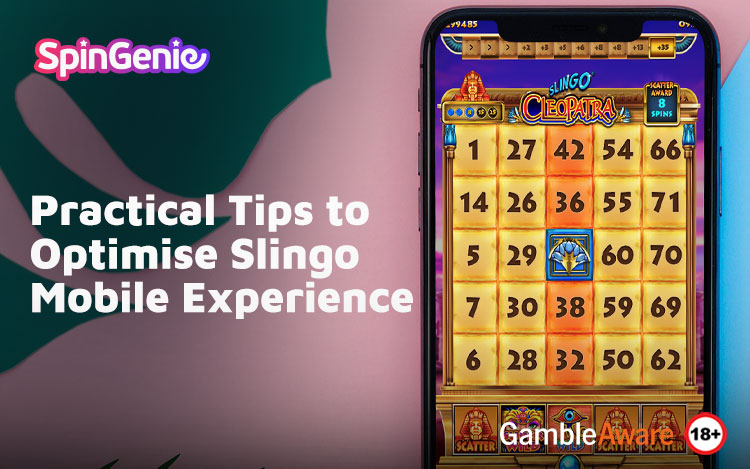

Playing Slingo on your mobile offers flexibility and ease of access, but like any app-based activity, performance and usability can vary depending on how your device is configured. To ensure a seamless experience, it’s helpful to apply a few technical and practical adjustments.
Whether you're using the latest smartphone or a reliable older model, this article breaks down logical and actionable ways to improve your Slingo on phone sessions. These mobile Slingo tips cover everything from display configuration to responsible usage habits, helping you enjoy online Slingo games with improved comfort and control.
Why Optimisation Matters for Mobile Slingo
Unlike playing Slingo on a desktop or tablet, mobile gaming is inherently portable but presents limitations such as smaller screens, varying battery life, and network dependency. These factors can affect your experience, especially when playing games with interactive grids and time-sensitive features.
Optimising your device settings ensures smoother gameplay, while responsible usage practices help maintain a healthy balance.
Display and Visual Setup
Use Landscape Orientation When Possible
Many Slingo games are designed with adaptive layouts, but playing in landscape mode offers better screen real estate. This makes number grids, spin buttons, and bonus features easier to see and interact with.
If your phone locks in portrait by default, change your settings to allow automatic screen rotation for games.
Adjust Brightness for Clarity and Comfort
High screen brightness enhances visual clarity but can reduce battery life and strain your eyes. Adjust brightness based on your environment and consider using blue light filters during evening sessions.
A balanced screen setting supports longer and more comfortable gameplay without excessive eye fatigue.
Managing Phone Performance
Close Background Apps
Apps running in the background compete for memory and CPU usage. Closing unused applications before launching your Slingo game improves responsiveness and reduces lag, particularly on devices with limited RAM.
This is a simple but often overlooked method to enhance mobile performance.
Use Battery-Saving Mode Strategically
Enabling your phone’s battery-saving mode can prevent overheating and extend playtime, especially during longer sessions. However, ensure this mode does not restrict essential app permissions that may affect game operation.
Monitoring battery levels also encourages shorter, more mindful gaming sessions.
Connectivity Considerations
Connect to Stable Wi-Fi or Reliable Mobile Data
Game performance is directly linked to network stability. Lag or disconnections during a bonus round or spin can disrupt the flow and compromise your experience.
A strong and consistent Wi-Fi connection is recommended for extended play, but a dependable 4G/5G connection can be sufficient for short sessions.
Disable Auto-Updates During Gameplay
Automatic app updates can consume bandwidth and memory in the background, leading to slower performance. Turn off auto-updates or schedule them outside your usual Slingo sessions to prevent disruption.
Sound and Distractions
Use Headphones for Better Audio Experience
If you prefer sound during gameplay, headphones can improve clarity while reducing distractions from your environment. This allows you to focus on game prompts, spin effects and number calls without external interruptions.
That said, gameplay does not require sound, so turning off audio may help conserve battery in certain cases.
Responsible Play Habits on Mobile
Mobile access allows for frequent gameplay, which can lead to less structured habits over time. Embedding responsible gameplay into your mobile routine helps keep your sessions intentional and well-managed.
- Set time and spending limits using your device’s in-built screen time or wellness tools.
- Take regular breaks to avoid fatigue and maintain perspective.
- Only play with funds you can afford to lose, and never use essential money for entertainment purposes.
- Avoid using games as a way to cope with stress or boredom, as this can lead to over-reliance.
- Pause or stop playing when tired or distracted. Focused attention supports healthier decisions.
Responsible gaming tools are also available on many mobile platforms. For more structured guidance, refer to our article on Slingo mobile limits.
System and Software Optimisation
Keep Your Phone OS and Apps Updated
Ensure that both your operating system and the Slingo app (if using one) are running the latest versions. Updates often include performance improvements and bug fixes that enhance compatibility.
Failing to update can cause functionality issues or increased loading times.
Clear Cache Regularly
Cached files build up over time and can slow app performance. Clear your browser or app cache occasionally to maintain smooth gameplay. Most devices provide a simple way to do this through app settings.
Environmental and Physical Comfort
Choose a Quiet, Comfortable Space
Although mobile gaming can be done on the go, consider setting up in a quiet and comfortable space. Reduced distractions support better focus and more intentional sessions.
Avoid playing while multitasking, such as during work or conversations. This reduces the risk of impulsive gameplay.
Schedule Intentional Play Sessions
Rather than opening a game during idle moments, schedule short sessions where you can sit, concentrate and enjoy responsibly. This helps separate gaming from other parts of your daily routine.
Comparing Phone vs Tablet for Slingo
If you frequently feel limited by the small display or controls of your phone, a tablet may provide a better solution. Devices like the iPad offer more screen space, improved graphics and longer battery life, making them ideal for longer sessions or games with detailed interfaces.
To see how larger screens can influence your experience, explore our comparison guide on Slingo iPad play.
Practical FAQs for Mobile Slingo
Does Slingo use a lot of mobile data?
Not significantly, but extended play may consume more. Use Wi-Fi where possible if you have data caps.
Can I manage my gameplay limits from my phone?
Yes, through built-in device tools or by using settings available on your casino account via Spin Genie.
Is performance better in-app or in-browser?
This depends on your device. In most cases, both offer smooth performance if your phone is up to date and background activity is managed.
Final Thoughts: Functional and Responsible Mobile Slingo
Optimising your phone for Slingo is a matter of basic device management and applying logical play habits. Simple adjustments, like reducing brightness, closing background apps and taking regular breaks can lead to more effective sessions.More importantly, playing responsibly ensures that mobile gaming remains enjoyable, safe and within your control.
If you’re looking to get more from your mobile Slingo experience, visit Spin Genie for mobile-optimised games that are designed for smooth, secure and mindful play.