Published: 22 Apr 2026 | Updated: 24 Sept 2026

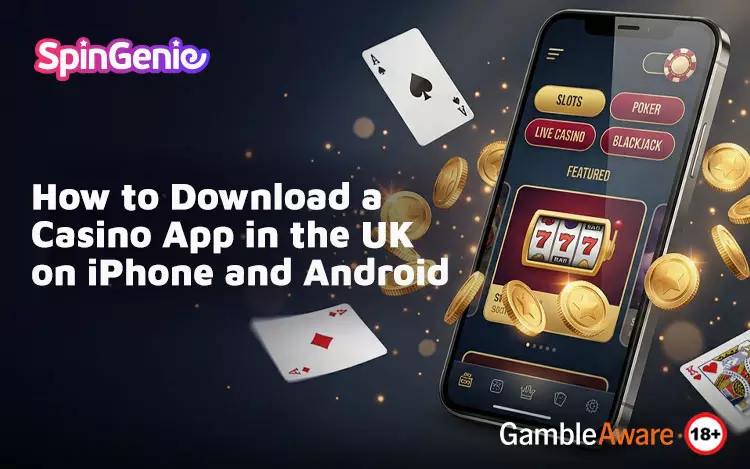

Quick Answer: To safely download casino app UK, use official sources like the App Store or Google Play, follow secure installation steps, and complete account verification before playing. Some casinos also offer browser-based alternatives if no app is available.
Key Facts / TL;DR
- Always download apps from official stores for safety.
- iPhone and Android have slightly different installation steps.
- Some casinos offer browser play instead of apps.
- Account registration and ID checks are standard.
- Payment methods do not affect gameplay outcomes.
Getting Started with Casino App Downloads
Downloading a casino app in the UK is usually straightforward, but it’s important to follow safe and reliable steps. Whether you’re using an iPhone or Android device, choosing trusted platforms helps ensure a smooth setup.
You can begin by exploring trusted mobile casino apps for real money, where apps are designed for secure access, smooth gameplay, and easy mobile use.
If you’re still comparing options, this guide to the best casino app in the UK can help you understand what to look for before downloading.
Safe Download Steps from the App Store and Google Play
Downloading from official app stores is one of the most important steps for security and reliability.
iPhone (App Store) Download Steps
- Open the App Store on your iPhone.
- Search for the casino app by name.
- Check the developer name and app details.
- Review ratings and recent user feedback.
- Tap “Get” to download and install.
Using the App Store ensures:
- Apps meet Apple’s review guidelines
- Automatic updates are supported
- Security checks are in place
To go a bit further:
- Check that the app branding matches the official casino website
- Look for recent updates, which suggest the app is actively maintained
- Avoid apps with very low ratings or limited user feedback
These extra checks help confirm you’re downloading the correct and up-to-date version.
Android (Google Play) Download Steps
- Open Google Play Store on your device.
- Search for the casino app.
- Verify the developer and app listing.
- Review ratings and update history.
- Tap “Install” to begin downloading.
Downloading via Google Play provides:
- Access to verified app listings
- Built-in security protections
- Easier management of updates
For added reassurance:
- Check the number of downloads to gauge popularity
- Review recent user comments for performance insights
- Confirm that the app permissions match its intended use
These steps can help you avoid unofficial or outdated versions of an app.
Key Safety Tips When Downloading
- Avoid downloading apps from unknown third-party websites.
- Check for consistent branding and correct developer names.
- Review permissions requested by the app.
- Ensure your device software is up to date.
You can also:
- Use secure internet connections when downloading
- Avoid installing apps from unfamiliar links or pop-ups
- Keep your device security settings enabled
These precautions support a safer overall download experience.
What If There Is No Native App?
Not all casinos offer downloadable apps. In some cases, mobile browser play is used instead.
Browser-Based Casino Play
- Accessible directly through your mobile browser
- No download or installation required
- Compatible across most devices
Modern mobile sites are designed to offer:
- Full access to games and features
- Secure payment processing
- Responsive layouts that adapt to screen size
In many cases, the experience is very similar to using an app.
Using Home Screen Shortcuts
- Websites can be saved as shortcuts on your device
- Provide app-like access without installation
- Launch directly into the mobile site
This works by:
- Opening the casino site in your browser
- Selecting “Add to Home Screen”
- Creating a shortcut that behaves like an app icon
This option can make browser play feel more streamlined.
When Browser Play Is a Good Option
- You prefer not to install apps
- Your device has limited storage
- You want to access your account across multiple devices
Browser play is also useful when:
- You are trying a platform before committing to an app download
- You want instant access without setup
- You prefer automatic updates without manual downloads
This flexibility is one of the main advantages of browser-based play.
For Android-specific considerations, you can also explore these Android casino app tips.
Registration, Verification, and First Steps
Once the app is downloaded or accessed, setting up your account is the next step.
Account Registration
- Enter basic details such as name and contact information.
- Create login credentials.
- Agree to terms and conditions.
In addition:
- You may be asked to set account preferences or limits
- Registration forms are typically optimised for mobile use
- Most platforms aim to keep this process quick and straightforward
Identity Verification (KYC)
- Verification may require documents such as ID or proof of address
- Helps ensure account security and compliance
- Required age and identity verification is completed in line with UK regulatory requirements before gambling
To expand:
- Verification is part of UK regulatory requirements
- Documents are submitted securely through the app or website
- Processing times can vary depending on the platform
Additional verification checks may sometimes be requested later where necessary.
Making Your First Deposit
- Choose a supported payment method
- Enter deposit amount
- Confirm transaction through secure payment systems
Many apps support:
- Debit cards
- Bank transfers
- Mobile-friendly payment options
You may also notice:
- Minimum deposit amounts depending on the platform
- Confirmation steps such as authentication or verification
- Instant or near-instant processing for some payment methods
What to Expect After Setup
- Access to a range of games and features
- Ability to manage your account and transactions
- Secure login through passwords or biometric features
After setup:
- You can navigate between games, promotions, and account settings
- Transactions and balances are updated in real time
- The interface is designed for quick and easy mobile use
iPhone vs Android: Key Differences in Downloading
iPhone
- Strict App Store guidelines
- Consistent performance across devices
- Integrated features like Face ID
Android
- More flexibility in downloading apps
- Wider range of supported devices
- Performance may vary depending on hardware
Common Issues and How to Avoid Them
App Not Showing in Store
- May not be available in your region
- Check compatibility with your device
Installation Problems
- Ensure enough storage space
- Check internet connection
- Update device software
Login or Verification Delays
- Double-check submitted information
- Ensure documents are clear and valid
Responsible Use and Gameplay Awareness
When downloading and using casino apps:
- Payment methods and platforms do not affect game outcomes
- Transactions should be managed carefully
- Responsible use remains essential
Results are determined by a Random Number Generator (RNG). Outcomes are based on chance only.
Conclusion
Downloading a casino app in the UK is a simple process when using official sources like the App Store or Google Play. By following safe download steps, understanding browser alternatives, and completing registration and verification, you can access mobile gaming securely and efficiently.
If you’re ready to get started, you can explore Spin Genie’s mobile casino apps for real money and enjoy a platform designed for smooth performance, secure payments, and easy mobile access built to fit how you like to play.
| Disclaimer: The house will always have the edge. Players should never try to recover losses by gambling more. The outcome of the games is always entirely based on luck. |
FAQs
-
How do I download a casino app in the UK?
Use official app stores like the App Store or Google Play and follow secure installation steps. -
Is it safe to download casino apps?
Yes, if you download from verified sources and check app details carefully. -
What if there is no casino app available?
You can use a mobile browser or create a home screen shortcut instead. -
Do I need to verify my account?
Yes, identity verification is usually required for security and compliance.